Master Data & AI with Hands-On Training
Intensive training sessions on AI, Data Engineering, Cloud Architecture, and Forward Deployment — taught by engineers who've built at scale.
By practitioners from AWS, NVIDIA, and top-tier tech companies
- Apache Spark
- Airflow
- Kafka
- Snowflake
- dbt
- Amazon Bedrock
- Microsoft Foundry
- Databricks
- MLflow
- Kubernetes
- Vector Search
- Claude
The World Runs on Data & AI
Every industry is being reshaped by data and AI. The gap between building AI in a notebook and shipping it in production is massive. That's where skilled engineers come in — and that's what CtrlSkill trains you for.
- 01
Data Engineer
Build and maintain pipelines that move, transform, and store data at scale. Spark, Airflow, Kafka, and cloud-native tools.
- 02
AI / ML Engineer
Design, train, and deploy ML models and LLM-powered apps. Embeddings, RAG, production inference, and monitoring.
- 03
Forward Deployment Engineer
The bridge between AI research and real-world impact. Architect solutions and deploy AI products that actually work.
- 04
Cloud / Solution Architect
Design scalable cloud architectures on AWS, GCP, or Azure. Event-driven systems, FinOps, and infrastructure as code.
Choose Your Session
Live sessions are hands-on and led by practitioners. Missed one? Access past sessions on our learning platform.
New sessions on Data Engineering, Cloud, and AI will be announced here.
-
Access Recording
Forward Deployed Engineering — Fundamentals
-
Access Recording
Claude Associate — Foundational Course
Keep learning at your own pace
12 courses on the CtrlSkill learning platform — recordings, hands-on labs and certification prep.
-
Microsoft Azure AI-103 — Practice Course
Developing AI Apps and Agents on Azure
- Associate
- 250 questions
- Mock exam
-
AWS Generative AI Developer — Practice Exam Questions
Amazon Bedrock, RAG, agents, and Guardrails
- Professional
- 200+ questions
- Mock exam
-
Databricks Generative AI Engineer Associate — Practice Questions
Build & ship LLM apps on Databricks
- Associate
- 240+ questions
- Module quizzes
-
Forward Deployed Engineering — Fundamentals
Data, Cloud · Production AI
- Recording
- 24 lessons
- 2h 41m
- 5 quizzes
-
Claude Associate — Foundational Course
For beginners getting started with Claude
- Beginner
- 6 modules
- Live demos
-
Advanced Forward Deployed Engineering: From AI Prototype to Production Impact
Operating model, customer discovery & AI solution architecture
- Advanced
- 4h
- 3 modules
-
dbt From Zero: Hands-On Labs with DuckDB
Build a real data project for CocoaCo, one concept per lab
- Beginner
- 32h
- Labs + quizzes
-
dbt From Zero, Part 2: Project Anatomy & Your First Models
Turn SQL questions into dbt models
- Beginner
- 2h
- Lab 1
-
AWS Certified AI Practitioner (AIF-C01)
Exam blueprint, study plan & live AWS demos
- Beginner
- 8h
- Live demos
-
AWS AI Practitioner (AIF-C01) Practice Exam Questions
Practice sets across all five exam domains
- 3h
- Final practice sets
-
Databricks Gen AI Associate Exam Preparation
A focused run at the exam, inside Databricks itself
- 3h
- 4 topics
Taught by Practitioners, Not Presenters
Every trainer has shipped production systems at scale. They teach what they've actually built — not textbook theory.
-
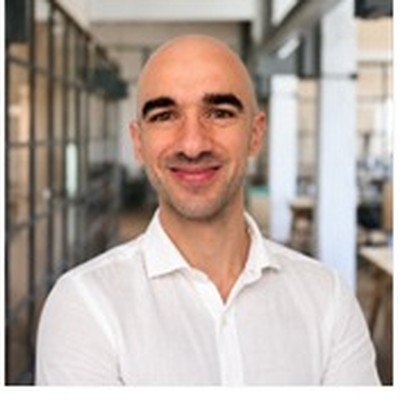 Data Expert
Ismail Mezzour
Data Platform Engineer
Builds and scales modern data platforms — self-service analytics, automation, and reliable cloud data platforms. Shares his work through technical articles, podcasts, and community content on analytics engineering and AI-powered data solutions.
-
 Namla · CEO
Dr. Younes Khadraoui
Cloud, AI & Edge Engineer
Doctorate from France and CEO of Namla. Several years across cloud, AI, and edge-computing — focused on LLM integration, multi-agent orchestration, distributed infrastructure on Kubernetes, and enterprise AI adoption patterns.
-
 EFREI Paris · Professor
Shadab Barmare
Data Engineer
Masters from France with 7+ years as a Data Engineer specializing in AWS. Has delivered data projects for TotalEnergies, L'Oréal, and Stellantis. Also teaches Data Engineering & Data Governance at EFREI Paris.
What Attendees Are Saying
Real feedback from engineers who joined our first sessions.
- 400+Session Viewers
- 360Community Members
- 140K+LinkedIn Reach
- 50E-Learning Subscribers
- Claude Associate
The Claude Associate session gave me a much clearer and more structured understanding of Claude than trying to learn everything on my own. I especially liked how the concepts were connected to practical use cases, which made them easier to understand and remember. Definitely a good starting point for anyone getting into Claude.
Abu Mohammed Unais
Head of Department · Saudi Arabia - FDE Fundamentals
With 15 years of experience in software engineering, I found the FDE session particularly valuable in helping me understand the role, structure, and mindset of a Forward Deployed Engineer. What makes CtrlSkill different is that the sessions are led by people who are actually doing the work and sharing their practical experience. It's a genuinely useful learning opportunity, especially considering they provide it without any charges.
Achal Rastogi
Principal Engineer · India - FDE Fundamentals
The FDE training by CtrlSkill was insightful, hands-on, and very well structured. A special thanks to Dr. Yasir Khan for his excellent guidance, real-world insights, and engaging approach throughout the session. Truly a valuable learning experience!
Parmeet Hura
Engineer · France
What Makes This Different
Not a lecture. Not a sales pitch. Real hands-on sessions built by practitioners.
- → 01
Industry Practitioners
Taught by engineers from AWS, NVIDIA, and top companies who've shipped at scale.
- → 02
Hands-On, Not Slides
Live case studies and practical exercises. You build, not just watch.
- → 03
Global & Inclusive
Multiple timezone slots per session. Paris, Mumbai, Dubai, or New York — we've got you.
- → 04
No Fluff, No Upsells
Pure technical content. Register, show up, and learn from the best.
Certification Prep Resources
Free, practical overviews of the certifications we cover — what each exam tests, the official documentation worth reading, and our full practice courses with original questions and explanations.
Microsoft Azure AI-103Developing AI Apps and Agents on Azure · Associate level
Live
- USD $165*
- 120 minutes
- ~40–60 questions
- Pass: 700/1000
- Pearson VUE / online
- Credential: Azure AI Apps & Agents Developer Associate
Heads up: AI-103 replaced the old AI-102 exam, which retired on 30 June 2026. Most tutorials online still target AI-102 — don't study from them. The new exam is built around Microsoft Foundry, generative AI, and AI agents.
What the exam tests (official domains)
- Plan & manage an Azure AI solution25–30%
- Generative AI & agentic solutions30–35%
- Computer vision solutions10–15%
- Text analysis solutions10–15%
- Information extraction solutions10–15%
Official Microsoft documentation worth reading
What you get in our free practice course
- The full exam guide in plain English — every domain explained simply
- 5 study lessons with real Azure service names, portal steps, and exam traps
- 250 original practice questions with explanations and official Microsoft Learn links on every question
- A full 120-minute timed mock exam that mirrors the real thing
*Price varies by country and taxes. CtrlSkill is not affiliated with or endorsed by Microsoft. Exam objectives change — always confirm on the official Microsoft page before booking.
AWS Generative AI Developer (AIP-C01)AWS Certified Generative AI Developer – Professional
Live
- USD $300
- 170 minutes
- 65 + 10 questions
- Pass: 750/1000
- Professional level
- Amazon Bedrock-centric
Good to know: AIP-C01 is AWS's most advanced AI credential — a Professional developer exam built around Amazon Bedrock (models, Knowledge Bases, Agents, Guardrails). It assumes hands-on experience with foundation models and RAG.
What the exam tests (official domains)
- Foundation Model Integration, Data & Compliance31%
- Implementation & Integration26%
- AI Safety, Security & Governance20%
- Operational Efficiency & Optimization12%
- Testing, Validation & Troubleshooting11%
Official AWS documentation worth reading
What you get in our practice course
- A plain-English exam guide covering all five domains
- Study modules on Amazon Bedrock, RAG, agents, and Guardrails
- 200+ original practice questions with explanations (why each option is right or wrong)
- Multiple question formats and a timed mock exam
CtrlSkill is not affiliated with or endorsed by Amazon Web Services. Exam objectives change — always confirm on the official AWS page before booking.
Databricks Generative AI Engineer AssociateDatabricks Certified · build & ship LLM apps
Live
- 45 scored questions
- 90 minutes
- ~70% to pass*
- USD $200*
- 2 years valid
- Associate level
Good to know: This is an engineering-focused exam — it expects you to build a RAG pipeline or LLM chain on Databricks and know the toolchain: Vector Search, Model Serving, MLflow, and Unity Catalog. Code is Python (some SQL).
What the exam tests (official domains)
- Design Applications14%
- Data Preparation14%
- Application Development30%
- Assembling & Deploying Applications22%
- Governance8%
- Evaluation & Monitoring12%
Official Databricks documentation worth reading
What you get in our practice course
- A plain-English exam guide covering all six domains
- Six module lessons on design, data prep, development, deployment, governance, and evaluation
- 240+ original practice questions with explanations (why each option is right or wrong)
- Separate easy and difficult question sets, plus module-by-module quizzes
*Databricks reports pass/fail with a domain breakdown; ~70% is the commonly cited target, and the fee varies by region. CtrlSkill is not affiliated with or endorsed by Databricks. Always confirm on the official Databricks page before booking.
Exam Guide · Explained simply
Azure AI-103, explained like you're 12
Badge you earn: Microsoft Certified: Azure AI Apps and Agents Developer Associate
First, the big picture
Imagine you're building a super-smart robot helper. It can read, write, look at pictures, listen to people talk, and even use tools like a search engine or a calculator to get its job done.
Microsoft gives you a giant workshop full of parts and machines to build that robot. That workshop is called Microsoft Foundry (older name: "Azure AI Foundry" — same idea). The AI-103 exam checks whether you know how to use the workshop to build, launch, and take care of smart helpers.
Words you'll hear a LOT
Learn these first — everything else builds on them.
Plan & Manage an Azure AI Solution
Think of this room as being the boss of the project. Before you build, you plan. After you build, you take care of it.
1a. Picking the right tool for the job
Microsoft Foundry has many tools. Your job is to pick the right one, the same way you'd pick a hammer for a nail and a screwdriver for a screw.
1b. Setting it up
1c. Watching over it (monitoring)
1d. Keeping it safe (security)
1e. Responsible AI (the safety rules)
Generative AI & Agentic Solutions
This is the heart of the exam. It's about building robots that create things and do tasks.
2a. Building generative apps
RAG (open-book test) — the most important idea here:
- Store your documents in a searchable place.
- When a user asks something, the app searches for the most relevant pieces.
- It hands those pieces to the model along with the question.
- The model answers using those real pieces — fewer made-up answers.
2b. Building agents (helpers that use tools)
An agent is more than a chatbot. It has:
2c. Making it better and keeping it running
Computer Vision Solutions
This room is about pictures and videos — both making them and understanding them.
3a. Making images and videos
3b. Understanding images and videos
3c. Safety for pictures
Text Analysis Solutions
This room is about understanding words and speech.
4a. Understanding text
4b. Speech
Information Extraction Solutions
This room gives the robot a great memory and reading skills — so it can pull facts out of documents and look them up later.
5a. Retrieval and grounding (the robot's library)
5b. Reading documents
How it all connects
You use Microsoft Foundry (Room 1) to pick and set up the right brains and tools safely. You build generative apps and agents (Room 2) that create things and do tasks, and use RAG so they stay truthful. You add vision (Room 3), text and speech (Room 4), and information extraction (Room 5) to give the robot a searchable memory. The whole time you follow Responsible AI rules and watch cost, speed, and safety.
Quick check before the exam
Source of exam structure: Microsoft Learn — "Study guide for Exam AI-103: Developing AI Apps and Agents on Azure" (skills measured as of April 16, 2026). Always double-check the live study guide before your exam date, because Microsoft updates objectives from time to time.
Ready to test yourself?
250 original practice questions with explanations and official Microsoft Learn links — free on our platform.
Start the AI-103 Practice Course →Join the next live session
Hands-on, practitioner-led, with time slots for every region.
Join the CtrlSkill community
Get new session announcements first, share what you're building, and learn alongside engineers from around the world.